

In a previous article, we discussed how to create a function to clean and update customer data. Our goals were to trim and lowercase all characters in the email column and remove all non-numeric characters from the phone number column.
Now, let’s apply this function to all customers living in Chicago. To do this, the function needs each pk_customer_id to identify which record to update.
There are various ways to write queries, but today I’ll show you how to combine text and row values to create a query that can be exported as a file, containing all the necessary SQL statements ready to run in your database.
To achieve this, you need to combine variables with strings and specify your WHERE clause to select only the customers from Chicago:
SELECT 'SELECT clean_and_update_customer_data(''' || pk_customer_id ||''');'
FROM customer WHERE city = 'Chicago';
Running this will generate a series of SQL statements, each with a unique pk_customer_id as specified in your WHERE clause.
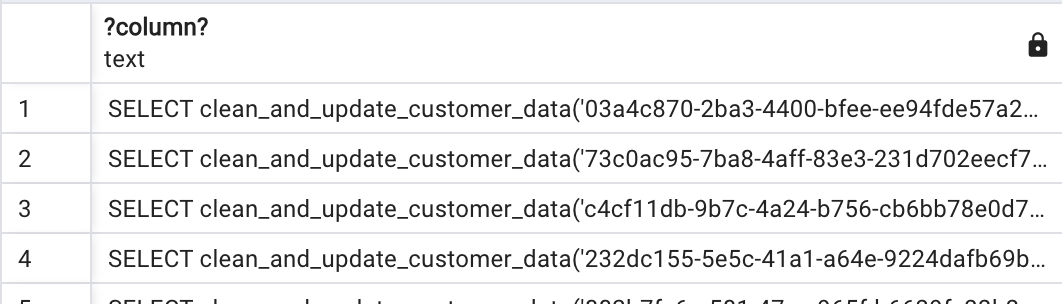
You can export this data for your records and execute each statement in the database (you can select them all and it will run in sequence):
SELECT clean_and_update_customer_data('346a6bf2-22f7-4921-8644-2068db4a3086');
SELECT clean_and_update_customer_data('03a4c870-2ba3-4400-bfee-ee94fde57a26');
SELECT clean_and_update_customer_data('73c0ac95-7ba8-4aff-83e3-231d702eecf7');
SELECT clean_and_update_customer_data('c4cf11db-9b7c-4a24-b756-cb6bb78e0d70');
By following these steps, you can create a query that combines strings and variables to call the “clean_and_update_customer_data” function. This approach automates the process, allowing you to generate all the necessary cleaning statements with a single SQL query, rather than writing each one manually.
If you found this article helpful, please give it a like 👏 and leave a comment below! Your feedback and engagement help me create more content that benefits the community. Feel free to share your thoughts and any questions you might have. Happy coding!







 TheCodeCraft
Leave a comment